CRED Role Overview: Admin & Member
Last updated: November 19, 2025
The platform has two roles:
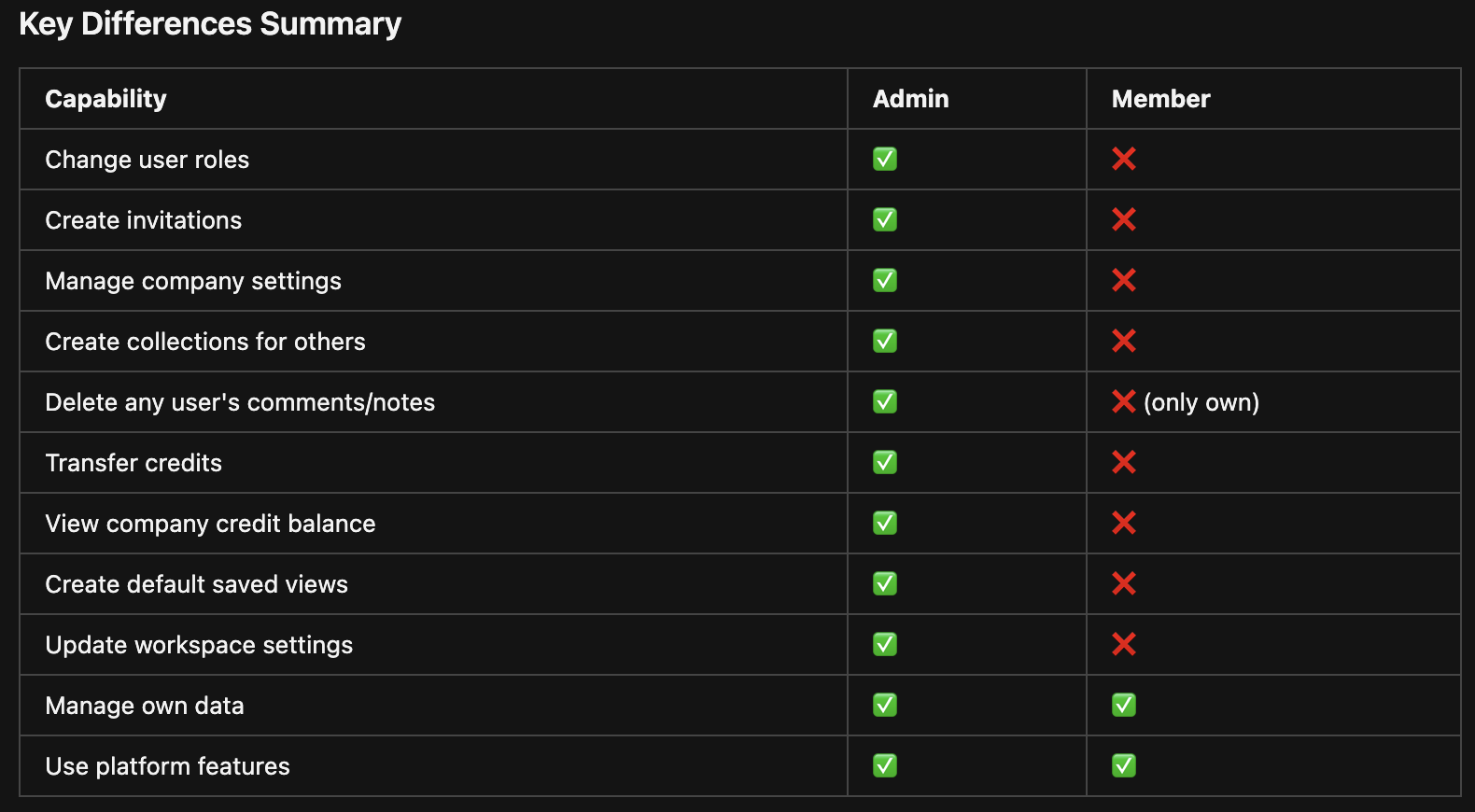
ADMIN: Company administrators
USER: Regular members
Admin-Only Capabilities
1. User Management
2. Invitation Management
3. Company Settings Management
4. Collection Management (On Behalf of Others)
5. Content Moderation (e.g. Delete Any Comments/Any Tasks)
6. Saved Views & Searches
7. Workspace Management
8. Credit Management (Company-Level)
What Members (Regular Users) Can Do
Members can perform most operations on their own data:
Create and manage their own collections
Create and manage their own notes, comments, tasks
Create saved searches and views (but not default ones)
Update their own profile (limited fields)
View their own credit balance
Use all platform features for their own work
How Role Assignment Works
When a user registers with an invitation code, the role associated with that invitation is automatically applied.
If this is your team’s first time accessing the CRED platform, please reach out to your sales representative or account manager with your role requirements so the system can generate the appropriate roles. Once an Admin has access to the CRED platform, they will be able to send invitation codes and manage users directly.